1
Open your Lovable project
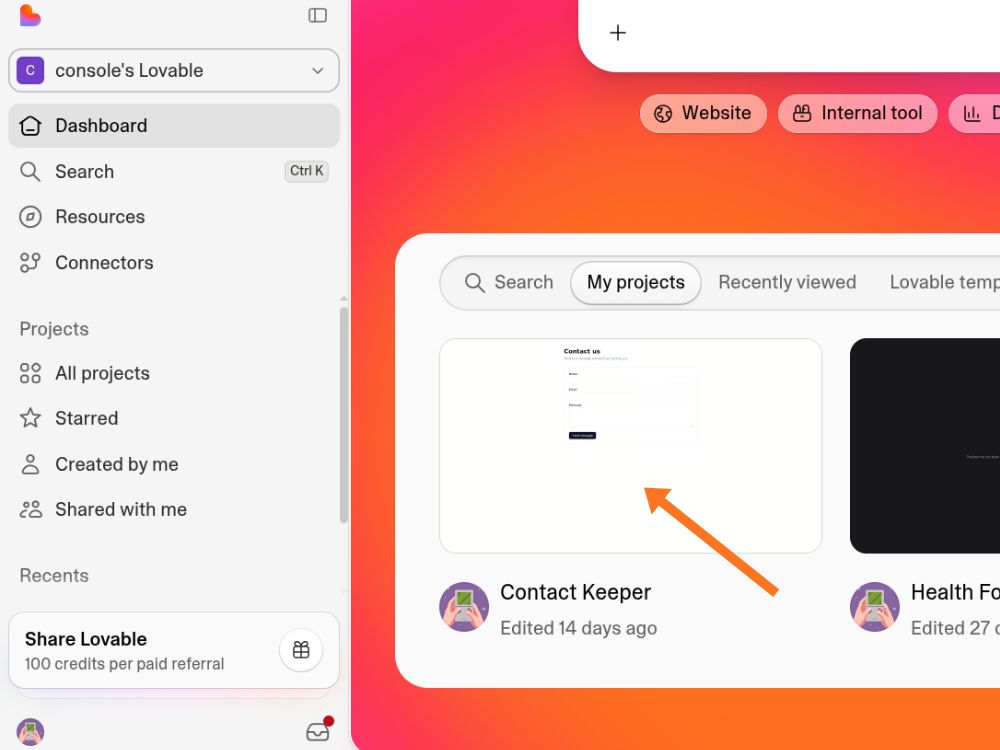
Head to lovable.dev and open the project we built for you.

GitHub is just the safe home for your website's code — once it's connected, every update is automatically saved and backed up, and nothing about your live site changes. This takes about five minutes.
Head to lovable.dev and open the project we built for you.
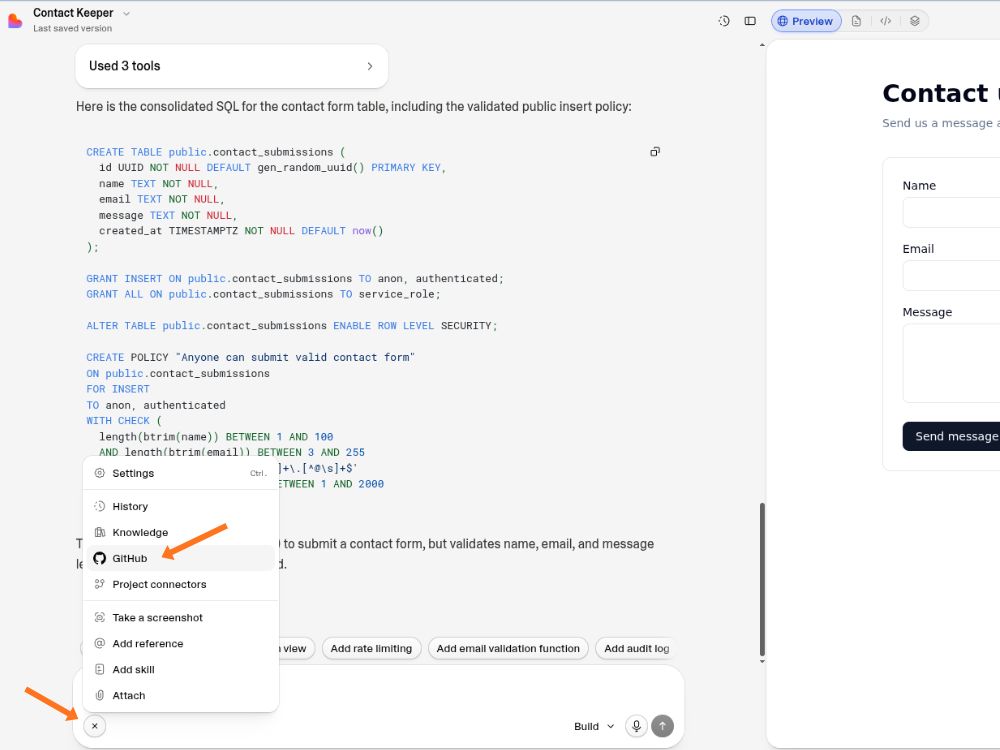
In the chatbox click the plus icon and then click on the github icon
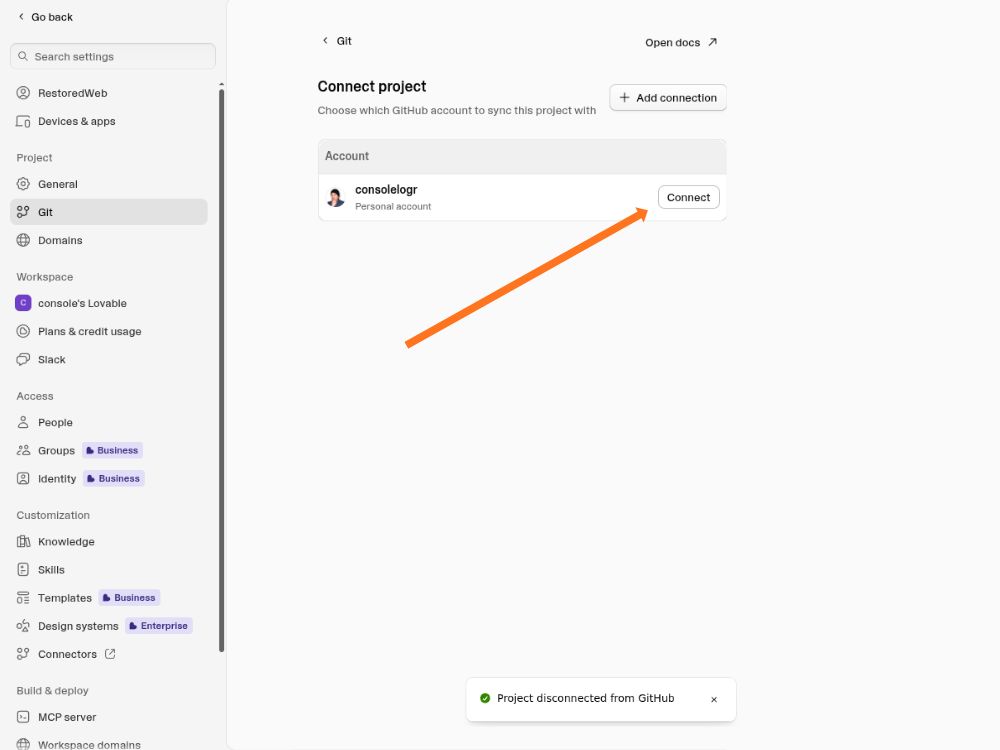
Click on the connect button to connect your project to Github
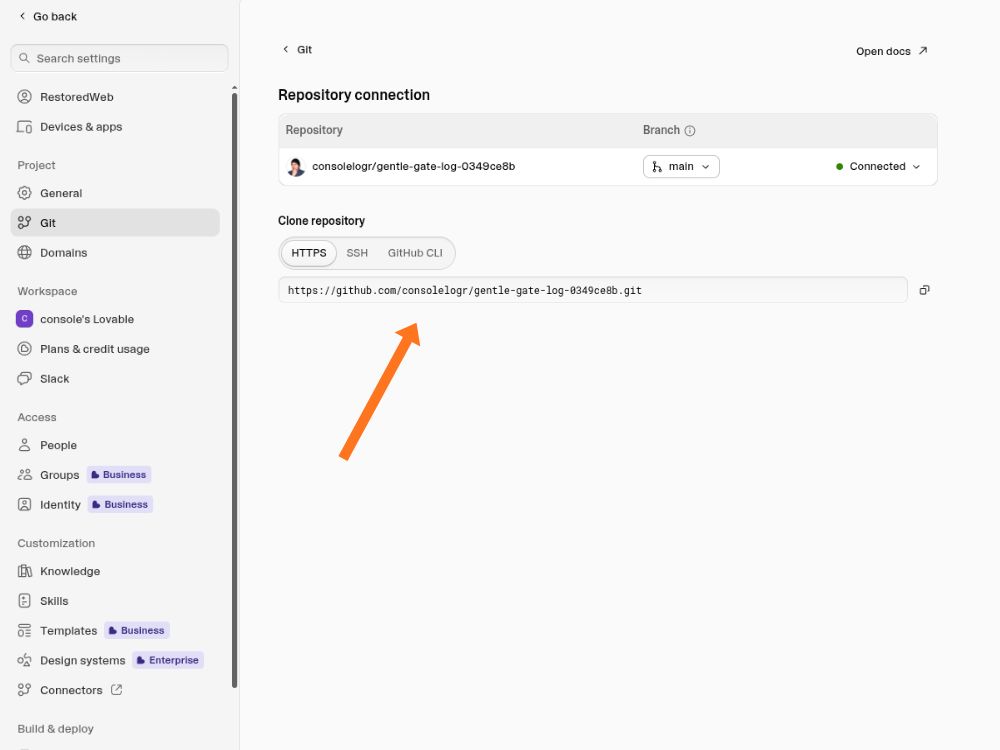
Copy the repository link from the address bar or the GitHub page, and send it to us by email or text. That's the last step.
Nothing changes on your end. Your site stays exactly as live and as fast as it is right now.